

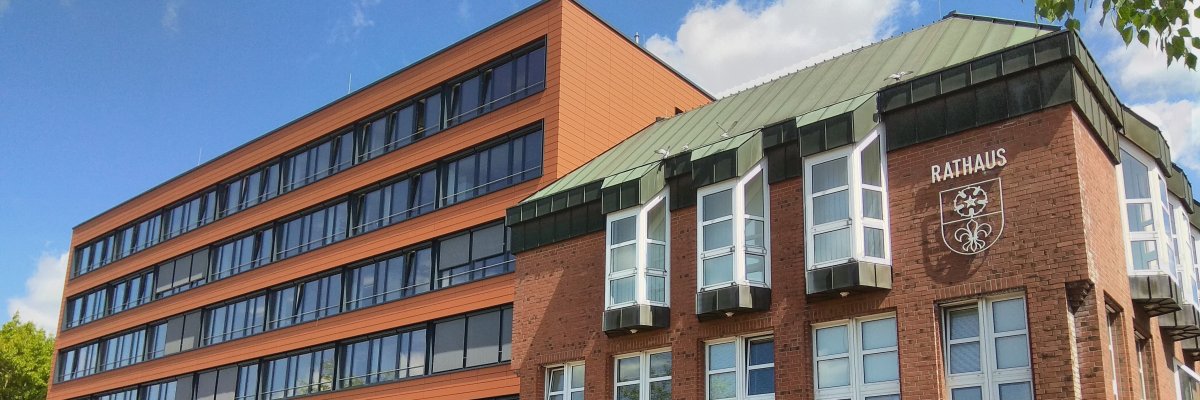
City administration building of the Stadtkevelaer

Mobility

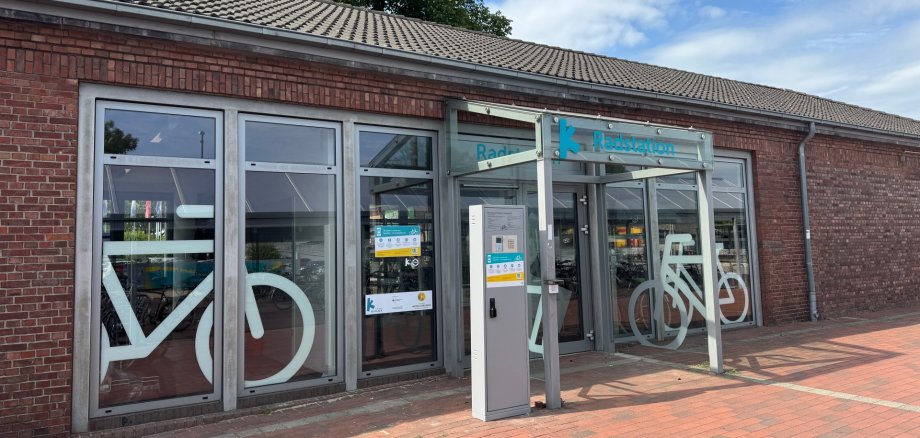
Modernized bike station at the Kevelaer train station:

The pilgrimage town of Kevelaer is modernizing the existing bike station at the train station and integrating it—in addition to the bike lockers already in place—into the “DeinRadschloss” reservation system operated by the Rhine-Ruhr Transport Association (VRR). This will ensure that bicycle parking at the train station is organized in a consistent, convenient, and secure manner in the future.

Starting July 1, access to the bike station will be available exclusively through the VRR portal “DeinRadschloss.” Users can conveniently book and manage their parking spaces online—just as they do with the bike lockers. In addition, nine luggage lockers with charging stations for e-bike batteries will be installed at the bike station.

“With the modernization of the bike station and the new bike lockers, we’re creating a cohesive overall offering for cyclists at the train station,” explains Mayor Dr. Dominik Pichler. “People who can park their bikes safely and charge their batteries at the same time are more likely to leave their cars at home—which is good for people’s daily lives and for the climate.”

Fifty percent of the total cost of the project will be funded by the Federal Ministry of Transport (BMV) through the “Bicycle Parking at Train Stations” grant program. Together with the bike lockers already in place, Kevelaer Station is thus being systematically developed into a modern, multimodal transportation hub.

To use the bike station and bike lockers, you must register once at www.dein-radschloss.de. Once registered, you can book and use all DeinRadschloss parking spaces in the VRR area.

No employees found.

Help with accessibility

  • General

    We endeavor to make our websites accessible. You can find details on this in our accessibility statement. You can send us suggestions for improvement via our feedback form Report accessibility.

  • Font size

    To adjust the font size, please use the following key combinations:

    Larger

    ⌘command
    +

    Smaller

    ⌘command

    Larger

    Ctrl
    +

    Smaller

    Ctrl
  • Keyboard navigation

    Use TAB and SHIFT + TAB to navigate through next/previous links, form elements and buttons.

    Use ENTER to open links and interact with elements.

  • Contrast mode

    Press the following key combination to reduce or increase the contrast:

    Enlarge

    ⌃control
    ⌥option
    ⌘command
    .

    Decrease

    ⌃control
    ⌥option
    ⌘command
    ,
    Note: The shortcuts must be activated in the system settings of the operating system.

    Press the left ALT key + left SHIFT key + PRINT to quickly switch the high contrast mode on or off.

  • Invert colors

    Press the following key combination to switch the color inversion on and off:

    ⌃control
    ⌥option
    ⌘command
    8
    Note: The shortcuts must be activated in the system settings of the operating system.

    First activate the screen magnifier and then switch the color inversion on and off with the following key combinations:

    1. screen magnifier

    +

    2. invert colors

    Ctrl
    Old
    I
  • Screen magnifier

    Press the following key combinations to use the screen magnifier:

    Switch on/off

    ⌥option
    ⌘command
    8

    Enlarge view

    ⌥option
    ⌘command
    =

    Reduce view

    ⌥option
    ⌘command
    Note: The shortcuts must be activated in the system settings of the operating system.

    Switch on / Enlarge view

    +

    Reduce view