

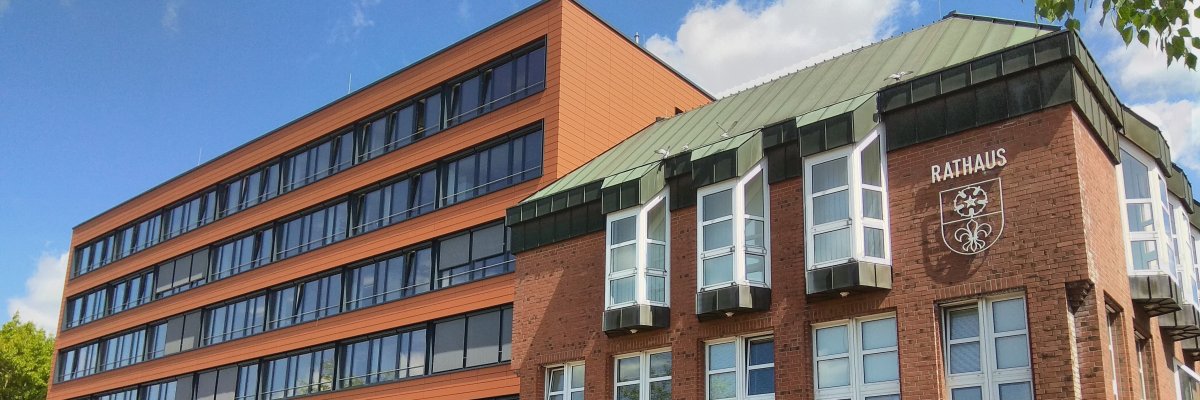
City administration building of the Stadtkevelaer

Construction site info

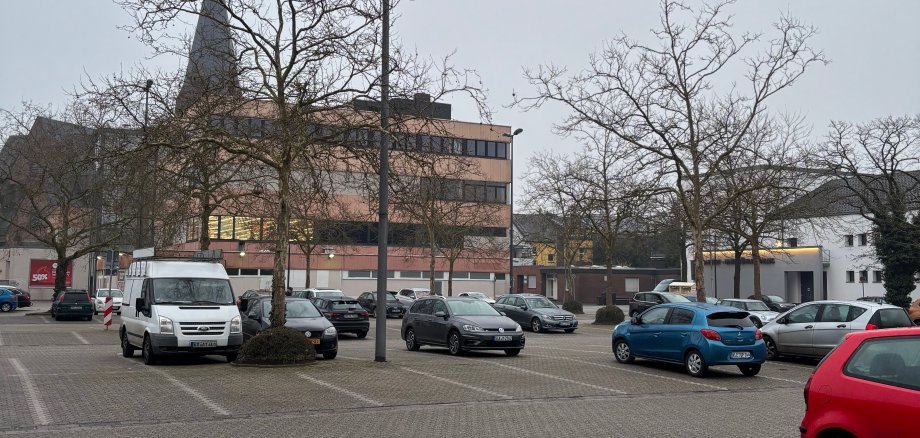
Closure of the Bury St. Edmunds-Straße parking lot

Construction work on the former Kaufcenter building in the center of Kevelaer will begin shortly. After REWE, KiK will also move out of the building in mid-February so that work can begin on converting it into a modern commercial building with apartments.

The associated parking lot on Bury St. Edmunds Street is urgently needed by the owner as a storage area for building materials and equipment in the run-up to the construction work. Signs will be erected in the parking lot this week to indicate the upcoming closure. The parking lot will be fenced off from 18.02.2025. Residents will still be able to access their properties.

The fencing of the parking lot is also necessary for safety reasons, as some of the existing trees in the parking lot will have to be felled. The background to this is that the parking lot will also be rebuilt and adapted to today's size requirements. The owner points out that the same number of new trees will be planted when the parking lot is redesigned.

No employees found.

Help with accessibility

  • General

    We endeavor to make our websites accessible. You can find details on this in our accessibility statement. You can send us suggestions for improvement via our feedback form Report accessibility.

  • Font size

    To adjust the font size, please use the following key combinations:

    Larger

    ⌘command
    +

    Smaller

    ⌘command

    Larger

    Ctrl
    +

    Smaller

    Ctrl
  • Keyboard navigation

    Use TAB and SHIFT + TAB to navigate through next/previous links, form elements and buttons.

    Use ENTER to open links and interact with elements.

  • Contrast mode

    Press the following key combination to reduce or increase the contrast:

    Enlarge

    ⌃control
    ⌥option
    ⌘command
    .

    Decrease

    ⌃control
    ⌥option
    ⌘command
    ,
    Note: The shortcuts must be activated in the system settings of the operating system.

    Press the left ALT key + left SHIFT key + PRINT to quickly switch the high contrast mode on or off.

  • Invert colors

    Press the following key combination to switch the color inversion on and off:

    ⌃control
    ⌥option
    ⌘command
    8
    Note: The shortcuts must be activated in the system settings of the operating system.

    First activate the screen magnifier and then switch the color inversion on and off with the following key combinations:

    1. screen magnifier

    +

    2. invert colors

    Ctrl
    Old
    I
  • Screen magnifier

    Press the following key combinations to use the screen magnifier:

    Switch on/off

    ⌥option
    ⌘command
    8

    Enlarge view

    ⌥option
    ⌘command
    =

    Reduce view

    ⌥option
    ⌘command
    Note: The shortcuts must be activated in the system settings of the operating system.

    Switch on / Enlarge view

    +

    Reduce view