
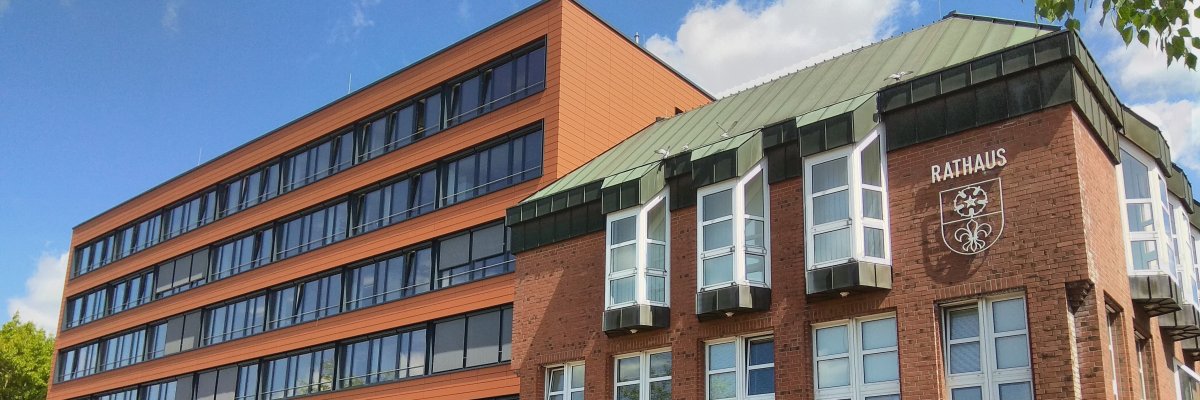
City administration building of the Stadtkevelaer
> Translation notice: This page has been automatically translated with the support of DeepL. Differences from the original German text may occur. Only the German version is legally binding.

Climate protection

Park(ing) Day in Kevelaer

On Friday, September 18, 2026, International Park(ing) Day will take place in the pilgrimage town of Kevelaer and the city of Kleve as part of Climate Adaptation Week and European Mobility Week. The events will take place from 12:00 p.m. to 5:00 p.m. in each location.

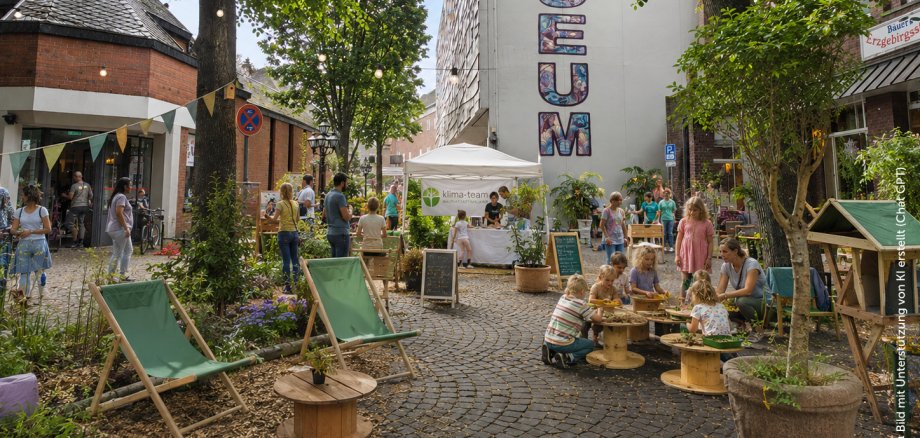
The Climate Team of the pilgrimage town of Kevelaer, in collaboration with Permakultur-Niederrhein e. V., the Mechel-Haus of the Caritasverband Geldern-Kevelaer e. V., and the Climate School of the cooldown°earth foundation, is temporarily repurposing two parking areas at Luxemburger Platz. During this time, the area will become a place where people and nature can come together.

Visitors are cordially invited to stop by, chat with the Climate Team at their booth, learn more, get involved, and hang out. On-site, they can participate in climate quizzes with small prizes and explore a dedicated area for children. A cargo bike on loan from the pilgrimage town of Kevelaer will be on display to highlight the free cargo bike rental service. On an energy bike, visitors can experience how much energy can be generated by pedaling. There’s also a seating area where you can relax and chat. Cake and coffee will be available for a donation. We look forward to seeing you there!

The goal of Parking Day is to enable a comparison of land use in public spaces and to highlight the wide range of alternative uses that parking spaces can offer.

For more information, please contact the climate adaptation manager for the pilgrimage town of Kevelaer.

No employees found.

Help with accessibility

  • General

    We endeavor to make our websites accessible. You can find details on this in our accessibility statement. You can send us suggestions for improvement via our feedback form Report accessibility.

  • Font size

    To adjust the font size, please use the following key combinations:

    Larger

    ⌘command
    +

    Smaller

    ⌘command

    Larger

    Ctrl
    +

    Smaller

    Ctrl
  • Keyboard navigation

    Use TAB and SHIFT + TAB to navigate through next/previous links, form elements and buttons.

    Use ENTER to open links and interact with elements.

  • Contrast mode

    Press the following key combination to reduce or increase the contrast:

    Enlarge

    ⌃control
    ⌥option
    ⌘command
    .

    Decrease

    ⌃control
    ⌥option
    ⌘command
    ,
    Note: The shortcuts must be activated in the system settings of the operating system.

    Press the left ALT key + left SHIFT key + PRINT to quickly switch the high contrast mode on or off.

  • Invert colors

    Press the following key combination to switch the color inversion on and off:

    ⌃control
    ⌥option
    ⌘command
    8
    Note: The shortcuts must be activated in the system settings of the operating system.

    First activate the screen magnifier and then switch the color inversion on and off with the following key combinations:

    1. screen magnifier

    +

    2. invert colors

    Ctrl
    Old
    I
  • Screen magnifier

    Press the following key combinations to use the screen magnifier:

    Switch on/off

    ⌥option
    ⌘command
    8

    Enlarge view

    ⌥option
    ⌘command
    =

    Reduce view

    ⌥option
    ⌘command
    Note: The shortcuts must be activated in the system settings of the operating system.

    Switch on / Enlarge view

    +

    Reduce view