

City administration building of the Stadtkevelaer

Citizens' office

Currently no digital passport photos for infants possible

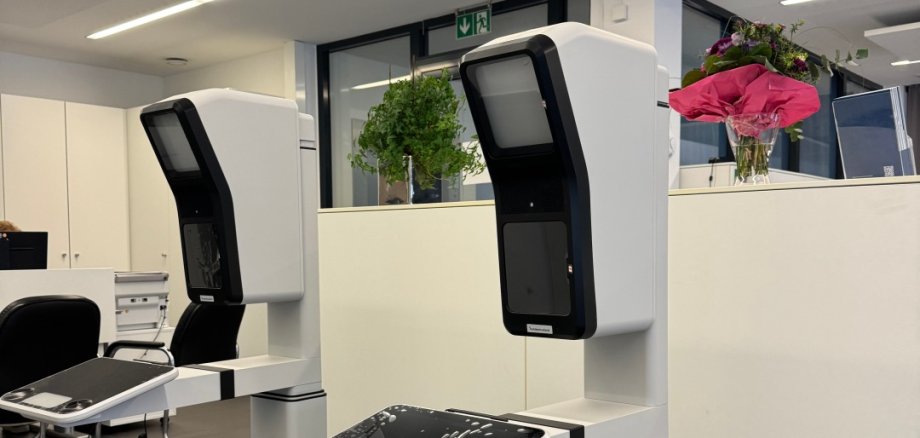
It is currently not possible to take digital photos of babies and small children under the age of 5 to 6 in our citizens' office. The reason for this is that the recording devices are dependent on the active participation of the person being photographed - for example, by directing their gaze or following instructions on the screen. Children of this age are often not yet able to fulfill these requirements, or not for long enough.

External photo required

As long as no technical solution is available, we ask parents to have a biometric passport photo taken for their children externally - for example by a photographer. Please note: Even in drugstores with photo stations, a photo can often only be taken when the child can sit on a chair independently.

In these cases, a classic, printed biometric photo can still be brought along and used at the Citizens' Office.

We ask for your understanding

We know that this involves additional work for many families and very much regret the situation. The Citizens' Office is in close contact with the relevant authorities to find a solution, but is currently unable to give a specific date for an improvement.

We will of course keep you up to date as soon as we have any news.

No departments found.

Help with accessibility

  • General

    We endeavor to make our websites accessible. You can find details on this in our accessibility statement. You can send us suggestions for improvement via our feedback form Report accessibility.

  • Font size

    To adjust the font size, please use the following key combinations:

    Larger

    ⌘command
    +

    Smaller

    ⌘command

    Larger

    Ctrl
    +

    Smaller

    Ctrl
  • Keyboard navigation

    Use TAB and SHIFT + TAB to navigate through next/previous links, form elements and buttons.

    Use ENTER to open links and interact with elements.

  • Contrast mode

    Press the following key combination to reduce or increase the contrast:

    Enlarge

    ⌃control
    ⌥option
    ⌘command
    .

    Decrease

    ⌃control
    ⌥option
    ⌘command
    ,
    Note: The shortcuts must be activated in the system settings of the operating system.

    Press the left ALT key + left SHIFT key + PRINT to quickly switch the high contrast mode on or off.

  • Invert colors

    Press the following key combination to switch the color inversion on and off:

    ⌃control
    ⌥option
    ⌘command
    8
    Note: The shortcuts must be activated in the system settings of the operating system.

    First activate the screen magnifier and then switch the color inversion on and off with the following key combinations:

    1. screen magnifier

    +

    2. invert colors

    Ctrl
    Old
    I
  • Screen magnifier

    Press the following key combinations to use the screen magnifier:

    Switch on/off

    ⌥option
    ⌘command
    8

    Enlarge view

    ⌥option
    ⌘command
    =

    Reduce view

    ⌥option
    ⌘command
    Note: The shortcuts must be activated in the system settings of the operating system.

    Switch on / Enlarge view

    +

    Reduce view