


Canteen at the school center

Since 2012, the canteen at the school center has been providing around 700 pupils from the two secondary schools in Kevelaer with a varied lunch every day. The canteen also supplies the OGS of the St. Antonius elementary school in Kevelaer.
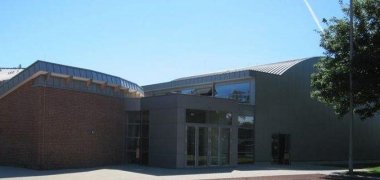
The tenant of the canteen has been the SOS Children's Village Niederrhein since the beginning and has also successfully run a training kitchen at the Kevelaer site. Here, up to 40 young adults with special needs are trained or retrained in the areas of cooking and housekeeping. Every day, the young adults prepare fresh meals from regional products under professional guidance. The students can choose between two menus and select side dishes from the pasta, salad and dessert counters.

The school canteen has been certified organic by GfRS since November 2023: DE-Öko 039. Beef, rice and pasta are all organic.

Information on the current meal prices, the procedure and further questions can be obtained from the canteen office in the Mittagstreff Kevelaer. From 08.09.2025 the following opening hours apply in the Mensa office:

Mondays from 08:00 to 14:00 and 14:30 to 16:00,

Wednesdays from 12:30 to 14:00 and 14:30 to 16:00.

You can reach the Mensa office by telephone during the above-mentioned opening hours on: 02832 9740010 .

Otherwise, you can also send your concerns to SOS Children's Villages by e-mail:

mensa.kd-niederrhein@sos-kinderdorf.de.

Help with accessibility

  • General

    We endeavor to make our websites accessible. You can find details on this in our accessibility statement. You can send us suggestions for improvement via our feedback form Report accessibility.

  • Font size

    To adjust the font size, please use the following key combinations:

    Larger

    ⌘command
    +

    Smaller

    ⌘command

    Larger

    Ctrl
    +

    Smaller

    Ctrl
  • Keyboard navigation

    Use TAB and SHIFT + TAB to navigate through next/previous links, form elements and buttons.

    Use ENTER to open links and interact with elements.

  • Contrast mode

    Press the following key combination to reduce or increase the contrast:

    Enlarge

    ⌃control
    ⌥option
    ⌘command
    .

    Decrease

    ⌃control
    ⌥option
    ⌘command
    ,
    Note: The shortcuts must be activated in the system settings of the operating system.

    Press the left ALT key + left SHIFT key + PRINT to quickly switch the high contrast mode on or off.

  • Invert colors

    Press the following key combination to switch the color inversion on and off:

    ⌃control
    ⌥option
    ⌘command
    8
    Note: The shortcuts must be activated in the system settings of the operating system.

    First activate the screen magnifier and then switch the color inversion on and off with the following key combinations:

    1. screen magnifier

    +

    2. invert colors

    Ctrl
    Old
    I
  • Screen magnifier

    Press the following key combinations to use the screen magnifier:

    Switch on/off

    ⌥option
    ⌘command
    8

    Enlarge view

    ⌥option
    ⌘command
    =

    Reduce view

    ⌥option
    ⌘command
    Note: The shortcuts must be activated in the system settings of the operating system.

    Switch on / Enlarge view

    +

    Reduce view