


Schools
With its schools, the pilgrimage town of Kevelaer offers a wide range of educational opportunities for pupils and a comprehensive all-day program in the primary sector. In addition to the elementary school, children and young people from Kevelaer and the surrounding area also have access to two secondary schools in the school center.
The pilgrimage town of Kevelaer is the school authority for five elementary school, one of which has two locations, as well as two secondary schools (comprehensive school and grammar school).
Interested parents and pupils who want to get an overview of the schools can find comprehensive information about the individual schools on the schools' websites.
In the "More information" section you will also find general information on the school system in North Rhine-Westphalia as well as various information brochures from the Ministry of Schools and Education NRW.
Elementary school in Kevelaer
Image Elementary school 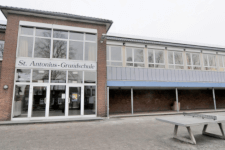
St. Antonius Primary School
Biegstraße 1
47623 Kevelaer
Contact: 02832 3011
E-mail: sekretariat@st-antonius.schule
Website of St. Antonius Primary School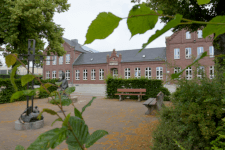
St. Hubertus Primary School
Hubertusstraße 46
47623 Kevelaer
Contact: 02832 5503
E-mail: sekretariat@st-hubertus.schule
Website of St. Hubertus Primary School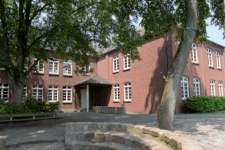
St.-Franziskus-Grundschule Twisteden
Dorfstraße 10
47624 Kevelaer - Twisteden
Contact: 02832 78384
E-Mail: info@twisteden.schule
Website of St.-Franziskus-Grundschule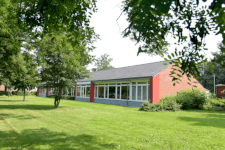
Municipal Catholic Primary School Wetten
Hauptstraße 20
47625 Kevelaer - Wetten
Contact: 02832 3528
E-mail: info@wetten.schule
Website of Wetten Primary School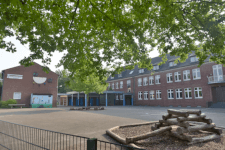
Overberg/St.-Norbert primary school network - Winnekendonk site
Sonsbecker Straße 17
47626 Kevelaer - Winnekendonk
Contact: 02832 8155
E-mail: overberg-grundschule@schulen-kevelaer.de
Website of Winnekendonk-Kervenheim elementary school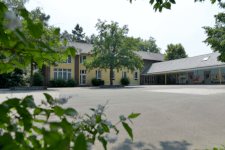
Overberg/St.-Norbert primary school network - Kervenheim site
Et Everdonk 1
47627 Kevelaer - Kervenheim
Contact: 02825 6212
E-mail: overberg-grundschule@schulen-kevelaer.de
Website of Winnkendonk-Kervenheim elementary school
Secondary schools in Kevelaer
Image Secondary school 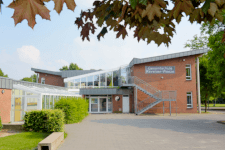
Kevelaer Comprehensive School
Jahnstraße 20
47623 Kevelaer
Contact: 02832 933-50 or -60
E-mail: info@ge-kv.de
Website of the comprehensive school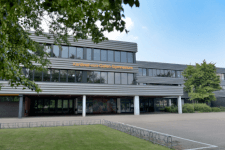
Kardinal-von-Galen Gymnasium
Jahnstraße 20
47623 Kevelaer
Contact: 02832 93370
E-Mail: sekretariat@kvgg.schule
Website of the Gymnasium