


A newspaper lying on its side
© Pixabay

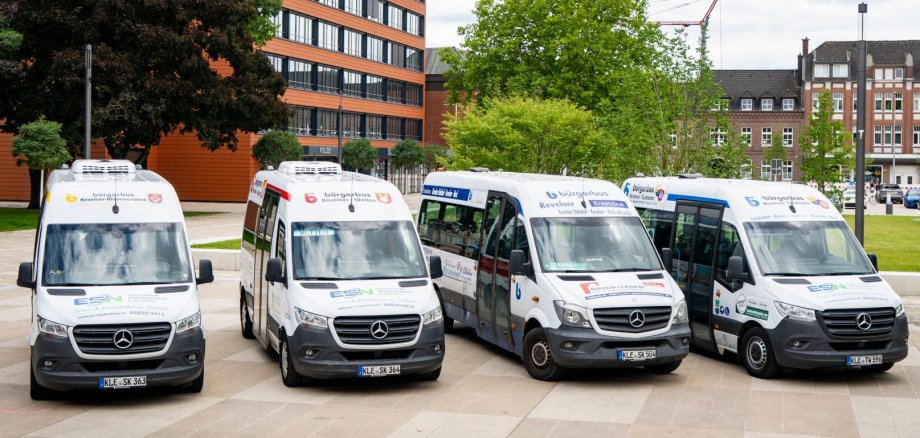
The Winnekendonk Community Bus will operate on a revised route starting October 5

Due to a full road closure, the Winnekendonk community bus will have to temporarily follow a modified route starting Monday, October 5. Several stops will not be served during the closure, according to Stadtwerke Kevelaer. The changes are expected to remain in effect until mid-November.

The "Schule," "Windmühle," and "Elders-Boll" stops, as well as all stops in Achterhoek, will be skipped during this time.

On the trip toward Sonsbeck, the Winnekendonk community bus also stops at the Kervenheimer Straße stop. On the return trip from Sonsbeck, the bus does not stop at this stop.

The order of the stops within Sonsbeck is also changing. During the detour, the community bus will stop at the following locations in this order: Neutorplatz, St. Antonius Church, Plooheide Restaurant, Lindenstraße, and Leypäche. From there, it will return to Winnekendonk.

Due to the route change, there may be slight delays in travel times. Passengers should therefore allow for a little extra time.

The changes will remain in effect for the duration of the full closure.

Help with accessibility

  • General

    We endeavor to make our websites accessible. You can find details on this in our accessibility statement. You can send us suggestions for improvement via our feedback form Report accessibility.

  • Font size

    To adjust the font size, please use the following key combinations:

    Larger

    ⌘command
    +

    Smaller

    ⌘command
    –

    Larger

    Ctrl
    +

    Smaller

    Ctrl
    –
  • Keyboard navigation

    Use TAB and SHIFT + TAB to navigate through next/previous links, form elements and buttons.

    Use ENTER to open links and interact with elements.

  • Contrast mode

    Press the following key combination to reduce or increase the contrast:

    Enlarge

    ⌃control
    ⌥option
    ⌘command
    .

    Decrease

    ⌃control
    ⌥option
    ⌘command
    ,
    Note: The shortcuts must be activated in the system settings of the operating system.

    Press the left ALT key + left SHIFT key + PRINT to quickly switch the high contrast mode on or off.

  • Invert colors

    Press the following key combination to switch the color inversion on and off:

    ⌃control
    ⌥option
    ⌘command
    8
    Note: The shortcuts must be activated in the system settings of the operating system.

    First activate the screen magnifier and then switch the color inversion on and off with the following key combinations:

    1. screen magnifier

    +

    2. invert colors

    Ctrl
    Old
    I
  • Screen magnifier

    Press the following key combinations to use the screen magnifier:

    Switch on/off

    ⌥option
    ⌘command
    8

    Enlarge view

    ⌥option
    ⌘command
    =

    Reduce view

    ⌥option
    ⌘command
    –
    Note: The shortcuts must be activated in the system settings of the operating system.

    Switch on / Enlarge view

    +

    Reduce view

    –