


City administration building of the Stadtkevelaer
> Translation notice: This page has been automatically translated with the support of DeepL. Differences from the original German text may occur. Only the German version is legally binding.

Finances and taxes

Organic Waste Bin in the Fall

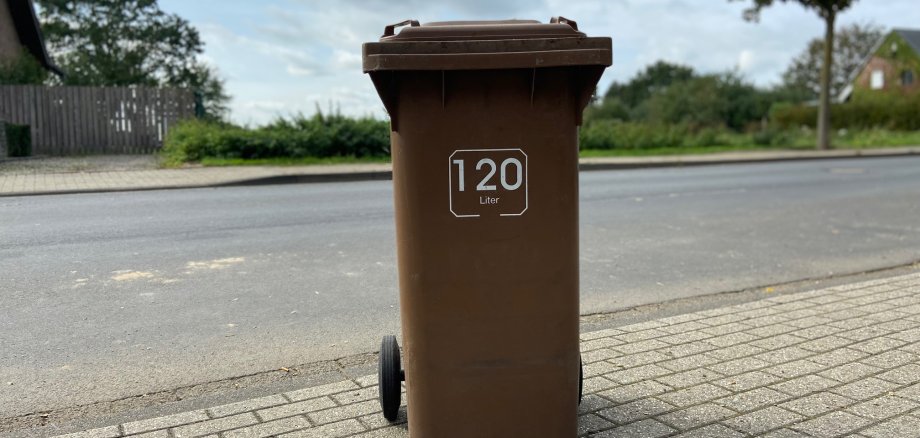
During the upcoming fall months of October and November, the organic waste bins in Kevelaer will be emptied weekly. This allows for the environmentally friendly disposal of the large amounts of leaves and yard waste that accumulate after gardening at the beginning of fall.

All pickup dates can be found in the waste collection calendar for the pilgrimage town of Kevelaer. The waste collection calendar is available for download here.

Organic garden and plant waste, such as leaves, grass clippings, tree and shrub trimmings, wild herbs, and potting soil without the pot, belongs in the organic waste bin. Uncooked fruit and vegetable scraps, eggshells, coffee grounds, coffee filters, and tea bags can also be disposed of in the organic waste bin.

Meat and fish scraps, ashes, charcoal, tobacco, plastic bags, diapers, animal feces, and cat litter, on the other hand, do not belong in it.

A tip for winter: To prevent wet trash from freezing solid on frosty days, it’s a good idea to place some newspaper or small twigs on the bottom of the trash cans.

No employees found.

Help with accessibility

  • General

    We endeavor to make our websites accessible. You can find details on this in our accessibility statement. You can send us suggestions for improvement via our feedback form Report accessibility.

  • Font size

    To adjust the font size, please use the following key combinations:

    Larger

    ⌘command
    +

    Smaller

    ⌘command
    –

    Larger

    Ctrl
    +

    Smaller

    Ctrl
    –
  • Keyboard navigation

    Use TAB and SHIFT + TAB to navigate through next/previous links, form elements and buttons.

    Use ENTER to open links and interact with elements.

  • Contrast mode

    Press the following key combination to reduce or increase the contrast:

    Enlarge

    ⌃control
    ⌥option
    ⌘command
    .

    Decrease

    ⌃control
    ⌥option
    ⌘command
    ,
    Note: The shortcuts must be activated in the system settings of the operating system.

    Press the left ALT key + left SHIFT key + PRINT to quickly switch the high contrast mode on or off.

  • Invert colors

    Press the following key combination to switch the color inversion on and off:

    ⌃control
    ⌥option
    ⌘command
    8
    Note: The shortcuts must be activated in the system settings of the operating system.

    First activate the screen magnifier and then switch the color inversion on and off with the following key combinations:

    1. screen magnifier

    +

    2. invert colors

    Ctrl
    Old
    I
  • Screen magnifier

    Press the following key combinations to use the screen magnifier:

    Switch on/off

    ⌥option
    ⌘command
    8

    Enlarge view

    ⌥option
    ⌘command
    =

    Reduce view

    ⌥option
    ⌘command
    –
    Note: The shortcuts must be activated in the system settings of the operating system.

    Switch on / Enlarge view

    +

    Reduce view

    –