
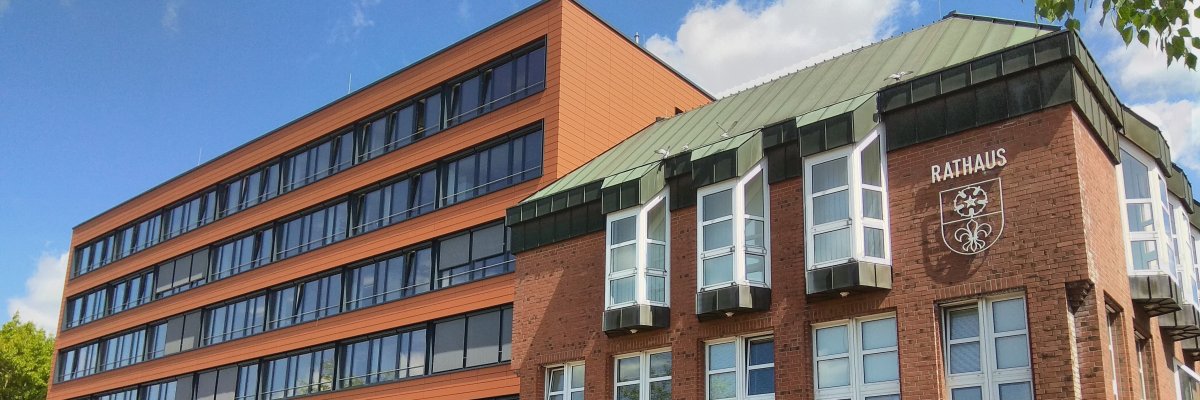
City administration building of the Stadtkevelaer
> Translation notice: This page has been automatically translated with the support of DeepL. Differences from the original German text may occur. Only the German version is legally binding.

Youth welfare office

Kleine Geister, große Wirkung – mehr Sicherheit im Dunkeln!

Wenn die Tage kürzer werden, ist gute Sichtbarkeit im Straßenverkehr besonders wichtig. Gerade rund um Halloween und St. Martin sind viele Kinder und Jugendliche in der Dämmerung und Dunkelheit unterwegs.

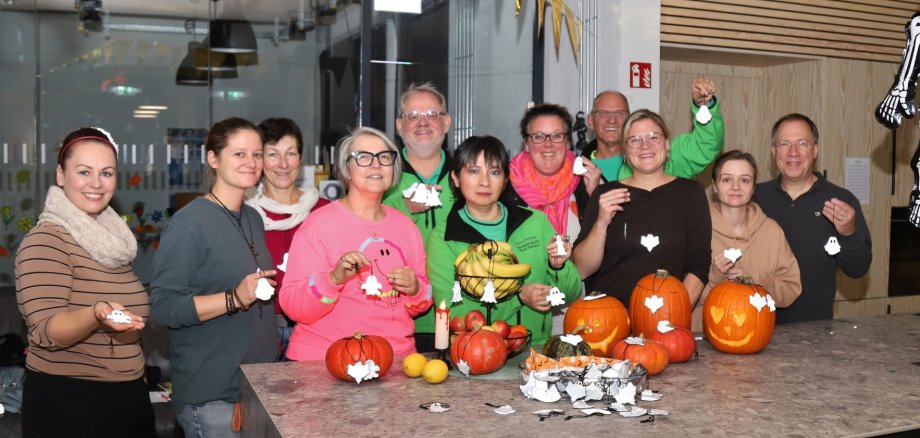
Die Verkehrswacht Kreis Kleve e.V. engagiert sich gemeinsam mit dem Jugendamt der Wallfahrtsstadt Kevelaer für mehr Sichtbarkeit im Straßenverkehr. Im Rahmen der Initiativen „NRW leuchtet“ und „Sichtbarkeit im Dunkeln“ wurden reflektierende Geister von der Landesverkehrswacht an das Team des Jugendzentrums Kompass sowie an die Jugendräume der Wallfahrtsstadt Kevelaer verteilt.

Die kleinen Geister sind nicht nur ein echter Hingucker, sondern haben auch eine wichtige Aufgabe: Sie reflektieren Licht, machen Kinder im Dunkeln besser sichtbar und helfen so, Unfälle zu vermeiden.

Ein starkes Zeichen für mehr Sichtbarkeit, Rücksicht und Sicherheit – damit alle gut durch die dunkle Jahreszeit kommen.

No employees found.

Help with accessibility

  • General

    We endeavor to make our websites accessible. You can find details on this in our accessibility statement. You can send us suggestions for improvement via our feedback form Report accessibility.

  • Font size

    To adjust the font size, please use the following key combinations:

    Larger

    ⌘command
    +

    Smaller

    ⌘command
    –

    Larger

    Ctrl
    +

    Smaller

    Ctrl
    –
  • Keyboard navigation

    Use TAB and SHIFT + TAB to navigate through next/previous links, form elements and buttons.

    Use ENTER to open links and interact with elements.

  • Contrast mode

    Press the following key combination to reduce or increase the contrast:

    Enlarge

    ⌃control
    ⌥option
    ⌘command
    .

    Decrease

    ⌃control
    ⌥option
    ⌘command
    ,
    Note: The shortcuts must be activated in the system settings of the operating system.

    Press the left ALT key + left SHIFT key + PRINT to quickly switch the high contrast mode on or off.

  • Invert colors

    Press the following key combination to switch the color inversion on and off:

    ⌃control
    ⌥option
    ⌘command
    8
    Note: The shortcuts must be activated in the system settings of the operating system.

    First activate the screen magnifier and then switch the color inversion on and off with the following key combinations:

    1. screen magnifier

    +

    2. invert colors

    Ctrl
    Old
    I
  • Screen magnifier

    Press the following key combinations to use the screen magnifier:

    Switch on/off

    ⌥option
    ⌘command
    8

    Enlarge view

    ⌥option
    ⌘command
    =

    Reduce view

    ⌥option
    ⌘command
    –
    Note: The shortcuts must be activated in the system settings of the operating system.

    Switch on / Enlarge view

    +

    Reduce view

    –