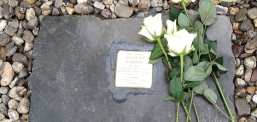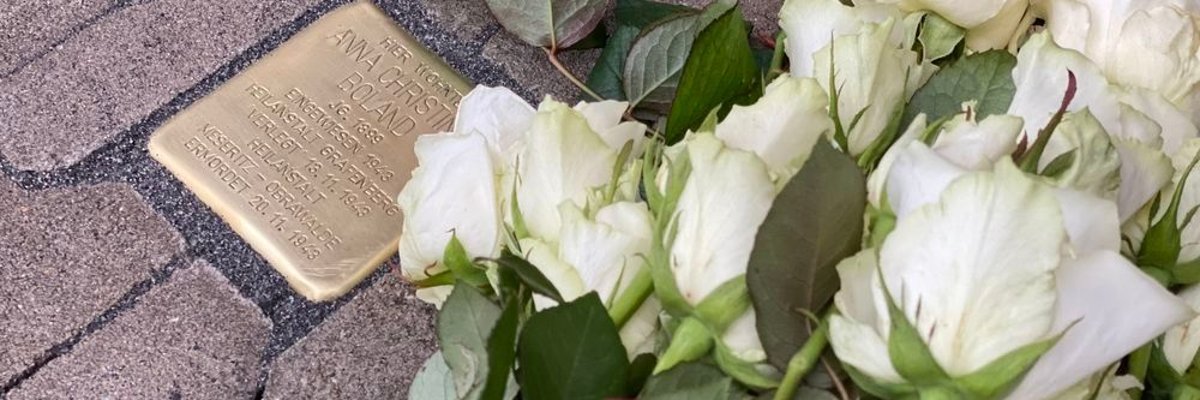
Stumbling blocks

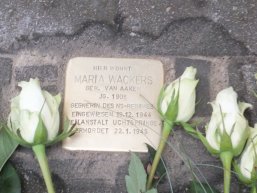
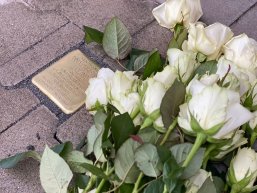
With the "Stumbling Stones" project, the artist Gunter Demnig has been commemorating the victims of National Socialism who were persecuted, expelled, deported and murdered by the National Socialists since 2000.

The idea of placing a brass-covered stumbling block with the name and the dates of birth, deportation and death in the pavement in front of the last freely chosen place of residence of such a person has met with a great response.

The project now includes stones laid in 1265 municipalities in Germany and 21 other European countries. The aim of the initiator is to bring the names of the victims back to the places where they lived and to preserve their memory.

In this spirit, the well-known victims and their fate in the pilgrimage town of Kevelaer and its districts are also commemorated.
Layout 1

Help with accessibility

  • General

    We endeavor to make our websites accessible. You can find details on this in our accessibility statement. You can send us suggestions for improvement via our feedback form Report accessibility.

  • Font size

    To adjust the font size, please use the following key combinations:

    Larger

    ⌘command
    +

    Smaller

    ⌘command

    Larger

    Ctrl
    +

    Smaller

    Ctrl
  • Keyboard navigation

    Use TAB and SHIFT + TAB to navigate through next/previous links, form elements and buttons.

    Use ENTER to open links and interact with elements.

  • Contrast mode

    Press the following key combination to reduce or increase the contrast:

    Enlarge

    ⌃control
    ⌥option
    ⌘command
    .

    Decrease

    ⌃control
    ⌥option
    ⌘command
    ,
    Note: The shortcuts must be activated in the system settings of the operating system.

    Press the left ALT key + left SHIFT key + PRINT to quickly switch the high contrast mode on or off.

  • Invert colors

    Press the following key combination to switch the color inversion on and off:

    ⌃control
    ⌥option
    ⌘command
    8
    Note: The shortcuts must be activated in the system settings of the operating system.

    First activate the screen magnifier and then switch the color inversion on and off with the following key combinations:

    1. screen magnifier

    +

    2. invert colors

    Ctrl
    Old
    I
  • Screen magnifier

    Press the following key combinations to use the screen magnifier:

    Switch on/off

    ⌥option
    ⌘command
    8

    Enlarge view

    ⌥option
    ⌘command
    =

    Reduce view

    ⌥option
    ⌘command
    Note: The shortcuts must be activated in the system settings of the operating system.

    Switch on / Enlarge view

    +

    Reduce view