


Safely through crises and emergencies
Welcome to the city's crisis preparedness page! Here you will find important information and practical tips to help you and your family prepare for possible emergencies and crisis situations. Our aim is to help you get through various events calmly and safely. That's why we have listed topics such as preparedness, power outages, heavy rain, fire and more for you and provided the most important pages of the Federal Office of Civil Protection and Disaster Assistance (BBK). We also present helpful apps that can support you in an emergency.
Together we will ensure that you are well informed and prepared. Stay safe!
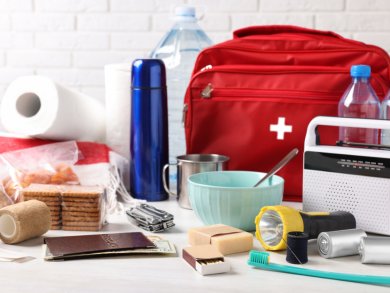
Emergency preparedness & supplies
If you are prepared, you can help yourself and your loved ones in long-term emergency situations. Here you will find tips and recommendations for your personal emergency preparedness.

Power failure
A power outage can be short-lived, but there are also large-scale or long-lasting power outages that can lead to considerable restrictions in everyday life. Here you will find tips on how you can prepare for this.
Heavy rain & flooding
Heavy rainfall events can occur suddenly and cause flooding and high water within a very short time. Here you will find tips on how you can prepare for this.
Storm
Strong winds and hurricanes can cause considerable damage to buildings and infrastructure. Here you will find tips on how to take precautions and what to do in the event of severe weather.
Fire & major fires
Fires can spread rapidly and therefore require quick action. Here you will find tips on prevention and what to do in the event of a fire.

Release of hazardous substances
Whether it's an accident involving a hazardous goods transporter, a fire in a factory or a chemical warehouse - hazardous substances can be released in all of these situations. Here you will find tips on what to do if hazardous substances are released.

Other hazardous situations
Heat, snow chaos or explosions. Here you will find precautionary tips on other hazardous situations.
Useful apps
NINA (BBK emergency information and news app): Provides information about dangers such as storms, floods or other acute crises.
Katwarn: Alternative warning app that also warns of regional and supra-regional dangers.
BIWAPP (Citizen Info & Warning App): Enables personalized alerts and provides local information about emergencies.
DLRG app: The German Lifesaving Association's app provides information about water rescue and first aid on the water.