
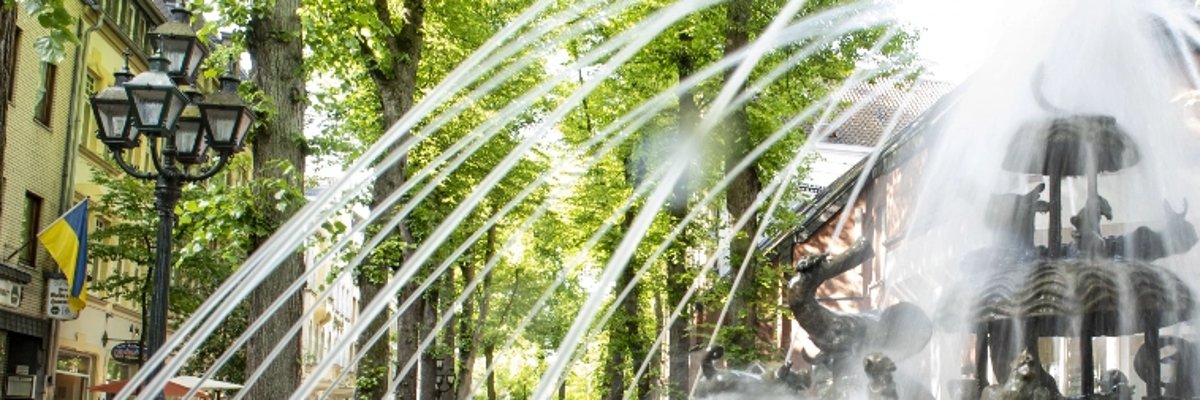
Noah's Ark fountain in action
> Translation notice: This page has been automatically translated with the support of DeepL. Differences from the original German text may occur. Only the German version is legally binding.

Klimawochen des Kreises Kleve 2026

Logo of Klima.Partner Kreis Kleve

Vom 2. bis zum 16. November finden wieder die Klimawochen des Kreises Kleve statt: im gesamten Kreis werden Aktionen zu den Themen Klima- und Ressourcenschutz sowie Klimaanpassung angeboten .

Die Wallfahrtsstadt Kevelaer beteiligt sich in diesem Jahr erneut mit einer Weihnachtsdeko-Tauschaktion. Diese findet am Dienstag, 10. November von 16 bis 17:30 Uhr im Mechel-Haus (Luxemburger Platz 1) statt.

Bei dieser Aktion kann nicht mehr genutzte Weihnachts-Dekoration gegen neue Fundstücke getauscht werden.

Die Deko kann am besten schon im Vorfeld, ab Montag, dem 26. Oktober im Mechel-Haus zu den dortigen Öffnungszeiten abgegeben werden (Mo., Di., Do. 8.30 - 13 und 13.30 - 17 Uhr, Mi. 13.30 - 17 Uhr sowie Fr. 8.30 - 13 Uhr).

Am Aktionstag selbst können auch noch kleine Mengen an Dekoration (max. 3 Teile) mitgebracht werden. Dabei muss nicht 1:1 getauscht werden - es kann auch mehr mitgenommen als abgegeben werden und umgekehrt. Übrig gebliebene Deko wird nach der Aktion an die Caritas gespendet.

Zusätzlich zur Tauschaktion wird es Getränke und frische Waffeln geben. Für defekte Weihnachts-Deko gibt es die Möglichkeit, diese bei der reparierBar Kevelaer abzugeben, welche sich ebenfalls an der Aktion beteiligt. Die Deko könnte dann beim nächsten Termin der reparierBar am 1. Dezember wieder abgeholt werden.

Die Tauschaktion findet in Kooperation mit der Kreis-Kleve-Abfallwirtschaftsgesellschaft mbH, dem Caritasverband Geldern-Kevelaer e.V. und der reparierBar Kevelaer statt.

Help with accessibility

  • General

    We endeavor to make our websites accessible. You can find details on this in our accessibility statement. You can send us suggestions for improvement via our feedback form Report accessibility.

  • Font size

    To adjust the font size, please use the following key combinations:

    Larger

    ⌘command
    +

    Smaller

    ⌘command
    –

    Larger

    Ctrl
    +

    Smaller

    Ctrl
    –
  • Keyboard navigation

    Use TAB and SHIFT + TAB to navigate through next/previous links, form elements and buttons.

    Use ENTER to open links and interact with elements.

  • Contrast mode

    Press the following key combination to reduce or increase the contrast:

    Enlarge

    ⌃control
    ⌥option
    ⌘command
    .

    Decrease

    ⌃control
    ⌥option
    ⌘command
    ,
    Note: The shortcuts must be activated in the system settings of the operating system.

    Press the left ALT key + left SHIFT key + PRINT to quickly switch the high contrast mode on or off.

  • Invert colors

    Press the following key combination to switch the color inversion on and off:

    ⌃control
    ⌥option
    ⌘command
    8
    Note: The shortcuts must be activated in the system settings of the operating system.

    First activate the screen magnifier and then switch the color inversion on and off with the following key combinations:

    1. screen magnifier

    +

    2. invert colors

    Ctrl
    Old
    I
  • Screen magnifier

    Press the following key combinations to use the screen magnifier:

    Switch on/off

    ⌥option
    ⌘command
    8

    Enlarge view

    ⌥option
    ⌘command
    =

    Reduce view

    ⌥option
    ⌘command
    –
    Note: The shortcuts must be activated in the system settings of the operating system.

    Switch on / Enlarge view

    +

    Reduce view

    –