Renewable energies
Photovoltaics
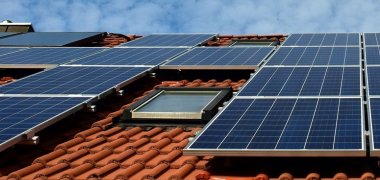
By utilizing the solar potential on roof surfaces, a decisive contribution can be made to the energy transition. However, many questions arise on the way to installing a photovoltaic system on your own roof. The consumer advice center provides answers to some of these questions and a comprehensive overview in the article Photovoltaics: What is important when planning a solar system.
Is my roof suitable for the installation of a photovoltaic system?
In the solar register of the State Agency for Nature, Environment and Consumer Protection (LANUV) of North Rhine-Westphalia, you can get an initial overview of the extent to which your roof surfaces are suitable for generating solar power. To do this, enter your address on the left and the map will take you directly to your residential building. Click on the area marked in color to open a window with the information provided. After selecting the desired areas (click in the white box), you can start the yield calculator.
You can find brief instructions on how to use the solar register here. You can also obtain further important information on use and content via the round blue buttons on the right-hand side of the register.
Please note that the results of the solar cadastre are only an initial rough assessment. A precise assessment of the roof areas must always be carried out by a specialist company.
Do I need a permit for a photovoltaic system?
Photovoltaic systems are generally not subject to approval. For detailed questions and questions about monument protection, please contact the Building Regulations and Monument Protection Department.
In addition, the design statutes of the pilgrimage town of Kevelaer must be observed, the scope of which can be seen on the adjacent map. Street-facing photovoltaic modules in particular can be considered critical in the context of the design statutes. If you have any questions, please contact the town planning department.
Is the purchase of a photovoltaic system financially supported?
The NRW.Energy4Climate funding navigator provides an overview of available funding.
Currently, the pilgrimage town of Kevelaer does not offer any subsidy programs for PV systems or plug-in solar devices.
What needs to be considered from a tax perspective?
Information on this can be found on the relevant pages of the NRW tax authorities or the NRW consumer advice center.
Can I also produce solar power on my balcony?
Yes, with plug-in solar devices—also known as balcony power plants—you can generate electricity for your own use right on your balcony. You can find a good overview of this topic on the Consumer Advice Center’s website.
Consulting on Photovoltaics
BürgerSolarBeratung Kevelaer is a group of trained volunteers who advise residents of Kevelaer on photovoltaics—free of charge and with no obligation.
Simply contact the group through its website to learn more about the consulting services available.