
Your municipal utilities
As a municipal utility, Stadtwerke Kevelaer has deep roots in Kevelaer. We take care of many things that people take for granted in their daily lives—and ensure that critical infrastructure operates reliably.
We supply Kevelaer with drinking water, and as Technische Betriebe Kevelaer, we handle wastewater disposal as well as the maintenance of streets, paths, and public spaces within the city limits.
Through our subsidiary, NiersEnergie GmbH, we also offer electricity. Our NiersStrom is generated 100% from hydropower.
100% renewable electricity. On-site and in person.
For us, short communication channels, personal points of contact, and reliable service go hand in hand.
Community buses are also an integral part of Kevelaer’s transportation system. Under the motto “Residents Drive for Residents,” volunteer drivers connect Kervenheim, Winnekendonk, Wetten, and Twisteden to the city center.
What all these tasks have in common is that we work for Kevelaer and the people who live here.
Management
Mr. Wolfgang Toonen has been appointed operations manager of Stadtwerke Kevelaer and Technische Betriebe Kevelaer.
The responsibilities of the management are set out in the Own Plant Ordinance and the company statutes.
Hendrik Kruß and Hannah Roßmann are the general deputies for the operations manager.
Stadtwerke is made up of the following three departments:
- Commercial Department - Head Hannah Roßmann
- Engineering Department – Daniela Waßenberg
- Service and Traffic - Head Hendrik Kruß
Management
Mr. Wolfgang Toonen is Managing Director of NiersEnergie GmbH.
Our water tower
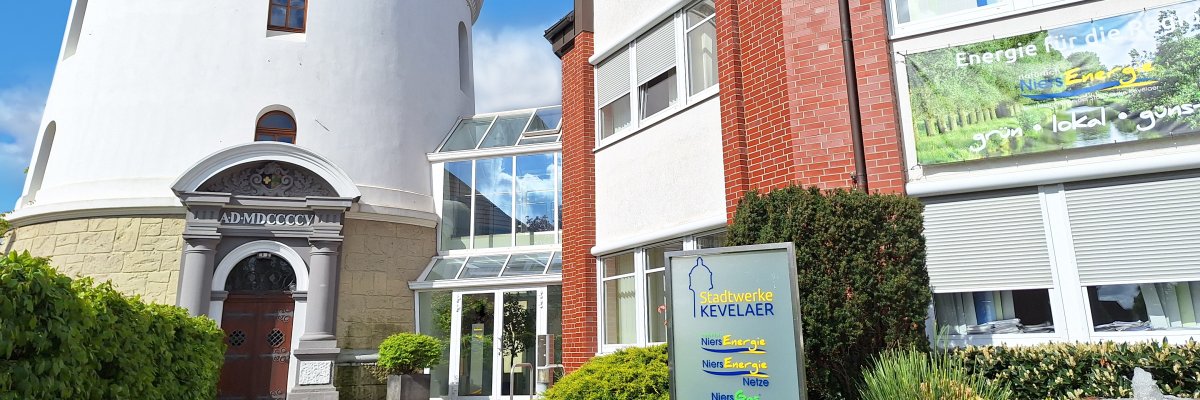
The Kevelaer Water Tower was built in 1905 in the Art Nouveau style. With a capacity of 450 cubic meters, it supplied the pilgrimage town of Kevelaer with water for many decades.
Over the course of its more than 100-year history, the tower has been used for various purposes. For decades, for example, apartments were located in the tower’s shaft. Today, it serves as an office building for the Kevelaer Public Utilities.
For many residents of Kevelaer, the 54-meter-high tower has long been a familiar part of the townscape. It dominates the skyline of this pilgrimage town and has become a Kevelaer landmark.
The water tower also holds special significance for Stadtwerke. That is why it has been featured in our logo for several years now.