


A newspaper lying on its side

260 water bottles for first-graders at Kevelaer'

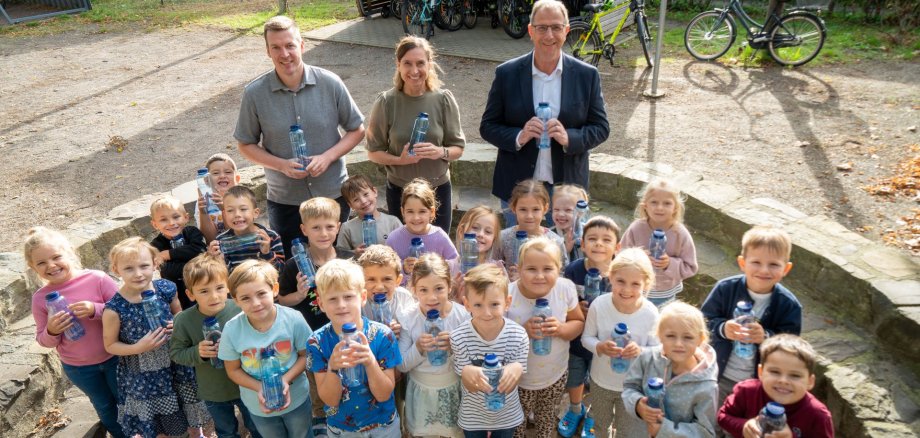
To mark the start of elementary school, first-graders in Kevelaer and the surrounding towns will once again receive their own water bottles this year: Stadtwerke Kevelaer and NiersEnergie are distributing a total of 260 reusable bottles to first-graders at all elementary schools in Kevelaer. The initiative has been running since 2016. To date, the two local water and electricity providers have distributed more than 3,000 water bottles to first-graders in Kevelaer.

With these water bottles, the two companies aim to achieve two goals at once: to remind children to drink regularly during the school day and, at the same time, to raise their awareness early on about avoiding single-use packaging. The bottles are made of durable Tritan, are free of plasticizers, have no taste, and are dishwasher-safe. Their wide opening makes them easy to fill and clean.

Focus on Drinking and the Environment 

“Especially at the start of the school year, there are so many new things for children to discover and learn. So it’s great when their water bottle quickly becomes an essential companion throughout the school day,” says Wolfgang Toonen, operations manager at Stadtwerke Kevelaer and managing director of NiersEnergie. “Filled with tap water, it’s also an easy way to reduce packaging waste.”

This year, the photo shoot for the campaign took place at St. Franziskus Elementary School in Twisteden. Principal Tanja Kocken is also delighted with the gift for the new first-graders: “The children can use their own water bottles every day—in class, during breaks, and during PE. At the same time, they naturally learn that drinking regularly is part of their daily school routine.”

At many schools in Kevelaer, children can also refill their water bottles at drinking water dispensers. These were funded by Stadtwerke and NiersEnergie, in some cases in cooperation with Sparkasse Rhein-Maas.

Help with accessibility

  • General

    We endeavor to make our websites accessible. You can find details on this in our accessibility statement. You can send us suggestions for improvement via our feedback form Report accessibility.

  • Font size

    To adjust the font size, please use the following key combinations:

    Larger

    ⌘command
    +

    Smaller

    ⌘command

    Larger

    Ctrl
    +

    Smaller

    Ctrl
  • Keyboard navigation

    Use TAB and SHIFT + TAB to navigate through next/previous links, form elements and buttons.

    Use ENTER to open links and interact with elements.

  • Contrast mode

    Press the following key combination to reduce or increase the contrast:

    Enlarge

    ⌃control
    ⌥option
    ⌘command
    .

    Decrease

    ⌃control
    ⌥option
    ⌘command
    ,
    Note: The shortcuts must be activated in the system settings of the operating system.

    Press the left ALT key + left SHIFT key + PRINT to quickly switch the high contrast mode on or off.

  • Invert colors

    Press the following key combination to switch the color inversion on and off:

    ⌃control
    ⌥option
    ⌘command
    8
    Note: The shortcuts must be activated in the system settings of the operating system.

    First activate the screen magnifier and then switch the color inversion on and off with the following key combinations:

    1. screen magnifier

    +

    2. invert colors

    Ctrl
    Old
    I
  • Screen magnifier

    Press the following key combinations to use the screen magnifier:

    Switch on/off

    ⌥option
    ⌘command
    8

    Enlarge view

    ⌥option
    ⌘command
    =

    Reduce view

    ⌥option
    ⌘command
    Note: The shortcuts must be activated in the system settings of the operating system.

    Switch on / Enlarge view

    +

    Reduce view