


A newspaper lying on its side

Timetable change for community buses

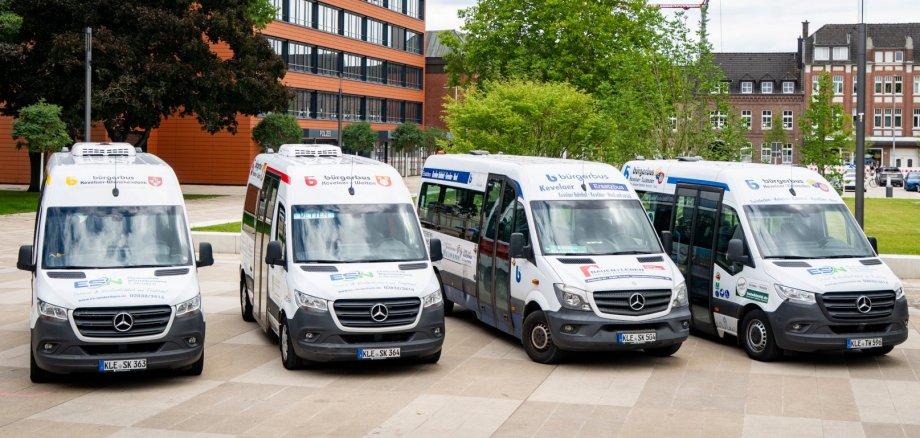
In the Kevelaer villages of Twisteden and Winnekendonk, the timetables for the community buses will be adjusted in the coming weeks. One of the aims of the changes is to improve coordination with other means of transport.

The timetable in Winnekendonk will be adjusted from May 1. In future, the first and last journeys of the day and the last partial journey on Saturdays will be canceled. Service will therefore end at 13:00 on Saturdays at the Marktstraße stop in Winnekendonk.

In Twisteden, the changes will apply from May 18. The departure times will be brought forward by three minutes. For example, the station in Kevelaer will be served at 7:44 a.m. instead of 7:47 a.m. as before. The background to this is an improved connection to other local public transport services in order to optimize connections.

"In Winnekendonk, the timetable will be adapted to the times of the other community bus associations, as the previous journeys can no longer be fully covered by volunteer drivers. At the same time, we are using the opportunity in Twisteden to better coordinate the travel times with the other local public transport services and thus improve connections," explains Hendrik Kruß from Stadtwerke Kevelaer.

Passengers are asked to take the changed timetables into account when planning their journeys. The current timetables can be viewed here .

Help with accessibility

  • General

    We endeavor to make our websites accessible. You can find details on this in our accessibility statement. You can send us suggestions for improvement via our feedback form Report accessibility.

  • Font size

    To adjust the font size, please use the following key combinations:

    Larger

    ⌘command
    +

    Smaller

    ⌘command

    Larger

    Ctrl
    +

    Smaller

    Ctrl
  • Keyboard navigation

    Use TAB and SHIFT + TAB to navigate through next/previous links, form elements and buttons.

    Use ENTER to open links and interact with elements.

  • Contrast mode

    Press the following key combination to reduce or increase the contrast:

    Enlarge

    ⌃control
    ⌥option
    ⌘command
    .

    Decrease

    ⌃control
    ⌥option
    ⌘command
    ,
    Note: The shortcuts must be activated in the system settings of the operating system.

    Press the left ALT key + left SHIFT key + PRINT to quickly switch the high contrast mode on or off.

  • Invert colors

    Press the following key combination to switch the color inversion on and off:

    ⌃control
    ⌥option
    ⌘command
    8
    Note: The shortcuts must be activated in the system settings of the operating system.

    First activate the screen magnifier and then switch the color inversion on and off with the following key combinations:

    1. screen magnifier

    +

    2. invert colors

    Ctrl
    Old
    I
  • Screen magnifier

    Press the following key combinations to use the screen magnifier:

    Switch on/off

    ⌥option
    ⌘command
    8

    Enlarge view

    ⌥option
    ⌘command
    =

    Reduce view

    ⌥option
    ⌘command
    Note: The shortcuts must be activated in the system settings of the operating system.

    Switch on / Enlarge view

    +

    Reduce view