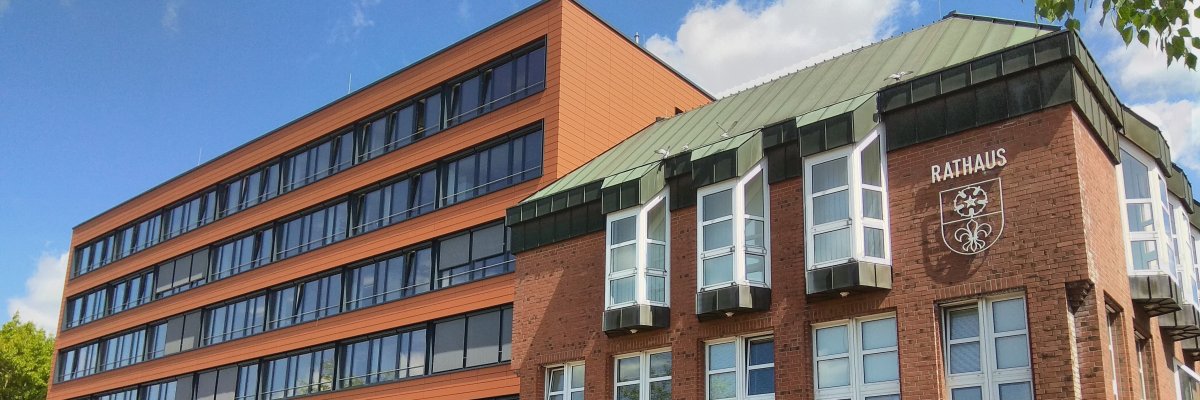
City administration building of the Stadtkevelaer

Working for the pilgrimage town of Kevelaer

The pilgrimage town of Kevelaer is not only the first point of contact and service provider for its citizens, but also one of the largest employers in the town.

Our municipal administration, including all departments, comprises over 360 employees from various professions. In addition to the typical administrative segments, this also includes the municipal daycare center "Spatzennest am Keysershof", our building depot, the outdoor and indoor swimming pool, our municipal youth facilities, the staff of the school secretariats and janitorial services, school social work, the affiliated municipal utilities, the public meeting place and the concert and stage house of the pilgrimage town of Kevelaer.

We see ourselves as a modern and customer-oriented service company. In order to live up to this claim, adequate staffing and high-quality training of junior employees are of great importance to us. In addition, we enable many people to take part in various types of work experience.

We present our range of products and services in the sections below.
Layout 1

Help with accessibility

  • General

    We endeavor to make our websites accessible. You can find details on this in our accessibility statement. You can send us suggestions for improvement via our feedback form Report accessibility.

  • Font size

    To adjust the font size, please use the following key combinations:

    Larger

    ⌘command
    +

    Smaller

    ⌘command

    Larger

    Ctrl
    +

    Smaller

    Ctrl
  • Keyboard navigation

    Use TAB and SHIFT + TAB to navigate through next/previous links, form elements and buttons.

    Use ENTER to open links and interact with elements.

  • Contrast mode

    Press the following key combination to reduce or increase the contrast:

    Enlarge

    ⌃control
    ⌥option
    ⌘command
    .

    Decrease

    ⌃control
    ⌥option
    ⌘command
    ,
    Note: The shortcuts must be activated in the system settings of the operating system.

    Press the left ALT key + left SHIFT key + PRINT to quickly switch the high contrast mode on or off.

  • Invert colors

    Press the following key combination to switch the color inversion on and off:

    ⌃control
    ⌥option
    ⌘command
    8
    Note: The shortcuts must be activated in the system settings of the operating system.

    First activate the screen magnifier and then switch the color inversion on and off with the following key combinations:

    1. screen magnifier

    +

    2. invert colors

    Ctrl
    Old
    I
  • Screen magnifier

    Press the following key combinations to use the screen magnifier:

    Switch on/off

    ⌥option
    ⌘command
    8

    Enlarge view

    ⌥option
    ⌘command
    =

    Reduce view

    ⌥option
    ⌘command
    Note: The shortcuts must be activated in the system settings of the operating system.

    Switch on / Enlarge view

    +

    Reduce view